AI tax returns for UK accountancy practices
AI does the sorting. Your accountants sign it off. HMRC gets the return.
Clients upload their bank statements. Daybook's AI agent sorts every transaction into the right HMRC category and flags what it isn't sure of. Your team reviews, and Income Tax and VAT are filed through Making Tax Digital, under your practice's brand.
- MTD for Income Tax
- MTD for VAT
- Landlords and sole traders
- Your brand, not ours
Plays from YouTube (youtube-nocookie.com) when you press play.
Daybook in 90 seconds. Fictional data, HMRC sandbox.
Three steps, with a person in charge
Statements in
Clients upload bank statements as PDF, CSV or a photo, from their computer or phone, into your branded app.
AI sorts, accountant reviews
Each line is sorted using your rules, then last year's confirmed choices, then the AI model. Lines it's unsure of go to your review queue with the reason.
Filed through MTD
HMRC calculates the tax from the figures. Nothing is filed until a person ticks the declaration. HMRC's receipt is kept with the return.
Making Tax Digital for Income Tax
Making Tax Digital for Income Tax is here
Sole traders and landlords are joining in three waves. Each one brings quarterly updates for every client in it.
Qualifying income from self-employment and property, before expenses. Source: GOV.UK: Check if you're eligible for Making Tax Digital for Income Tax.
Recorded scenarios
Watch it work on real-looking clients
Each video is a real session in the software, with fictional clients and HMRC's sandbox.
 ▶ 5:35
The AI sorts, an accountant reviews
After the agent has sorted the year, an accountant works through the lines it was unsure of. Each correction is explained on screen, so a practice keeps a qualified person in ch…
Watch →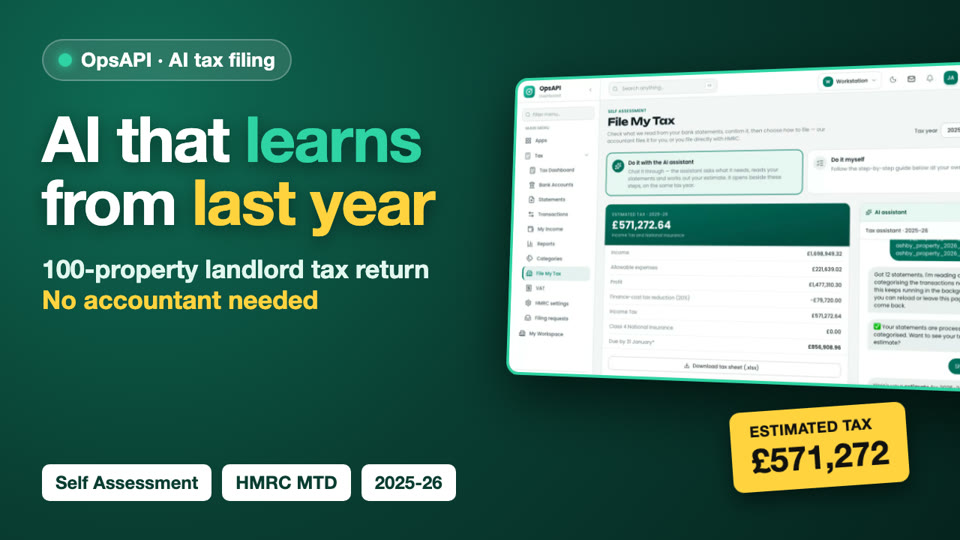 ▶ 4:58
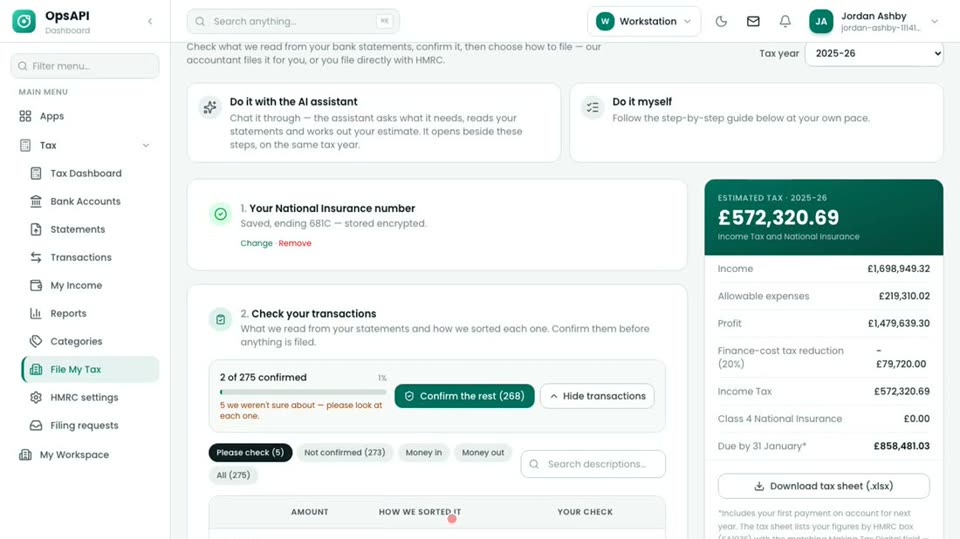
A landlord with 100 properties, and an AI that learns from last year
Jordan files the 2025-26 return with the AI assistant and no accountant step. 274 of 275 transactions are sorted from what Jordan confirmed in 2024-25, with no AI model call; on…
Watch →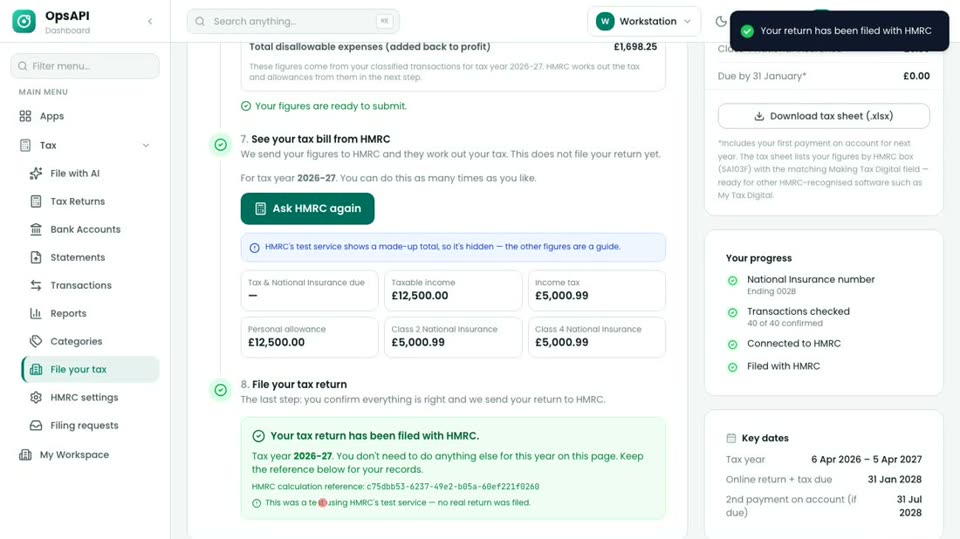 ▶ 2:24
Sole trader: AI bookkeeping to HMRC filing
A self-employed consultant uploads two statements. The agent keeps personal spending out of the business figures, HMRC works out the tax and the return is filed.
Watch →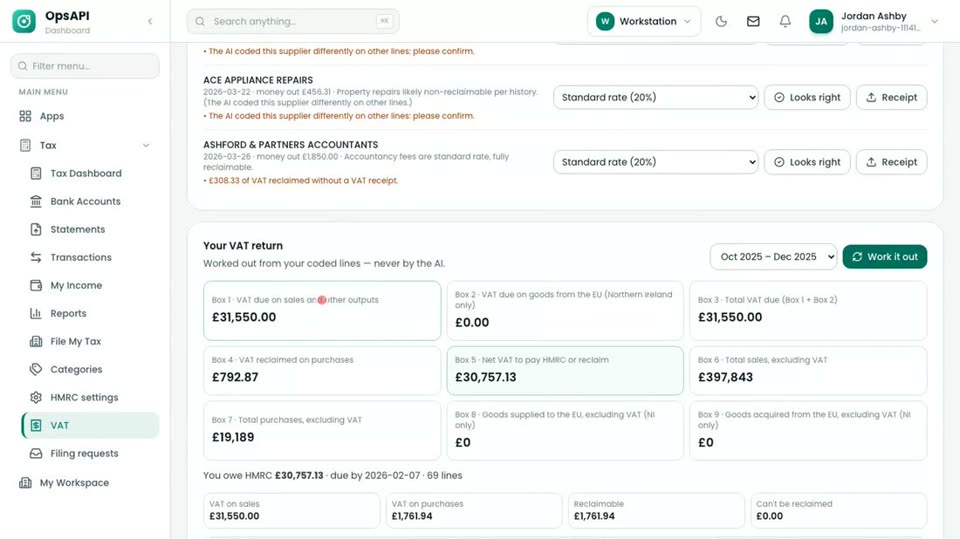 ▶ 2:33
Landlord VAT return under Making Tax Digital
Every bank line gets a VAT treatment, a rules engine works out the 9 boxes (never the AI), and the return is submitted to HMRC. Partial exemption and the annual adjustment are i…
Watch →Under your brand
Your clients see your practice, not ours
Each practice gets its own app on its own domain, with its logo and colours. Clients sign in to you, upload to you, and answer your team's questions. Include it in your fees or charge for it separately.
- One app for statements, documents, messages and the return
- Each practice's data kept apart, and each client sees only their own
- Accountant, bookkeeper and client roles
Security and data
Built for client data you're responsible for
- Hosted in the UK, or on your own servers
- Two-step sign-in, and single sign-on for your staff
- The AI can run on a local model, so statements never leave your network
- Every change recorded in an audit trail
Pilot
Payroll and Corporation Tax, in pilot
Self Assessment and VAT work today. Payroll and Corporation Tax calculations are built and running in the demo; filing them with HMRC is in testing. Join the pilot to use them with a few clients first.
Payroll for your clients, in the same place as their tax
Pay runs for employers and a payroll bureau for practices, with payslips for employees.
What's built, and the pilot →Pilot · filing in HMRC testingYear-end and Corporation Tax for limited company clients
From a company's trial balance to a Corporation Tax computation and year-end PDFs, with a director's approval.
What's built, and the pilot →What the AI does, and what it doesn't
- It reads statements and suggests a category for every line, with its reason.
- It never works out the tax or the VAT boxes. Rules do, and HMRC calculates Income Tax.
- It never files. A person confirms the figures and ticks the declaration.
- It learns from what your team confirmed last year, so the review queue gets shorter.
Next step
See it with your own clients in mind
Book a 30-minute call. We show the demo practice, answer your questions, and scope a pilot on your sample statements.
Brochures for each trade, and for landlords, are on the demos page.